IT staging & deployment in Canada: devices arrive ready to work, not ready to configure.
Imaging, configuration, MDM enrollment, tagging, and kitting, all done at the depot per your runbook, so what ships to each user or site is a working device, not a box of IT tasks.
Every device rollout has the same hidden cost: the gap between hardware arriving and hardware working. Someone has to image it, enroll it, tag it, load the right apps and profiles, box it with the right accessories, and get it to the right person on the right day. Do that at each site, or on each new hire’s first morning, and the cost shows up as burned IT hours and bad first days. Do it at a staging depot and it disappears into the process.
That’s what this service is: your build, executed at our Markham depot against a documented runbook per program. Channel partners, MSPs, and VARs use it as their Canadian execution arm: the deal is won, the hardware lands here, and staged devices ship out on your schedule under your program. Enterprise IT uses it the same way for refresh cycles and onboarding: devices arrive at the user or site configured, enrolled, and tagged, ready to work out of the box.
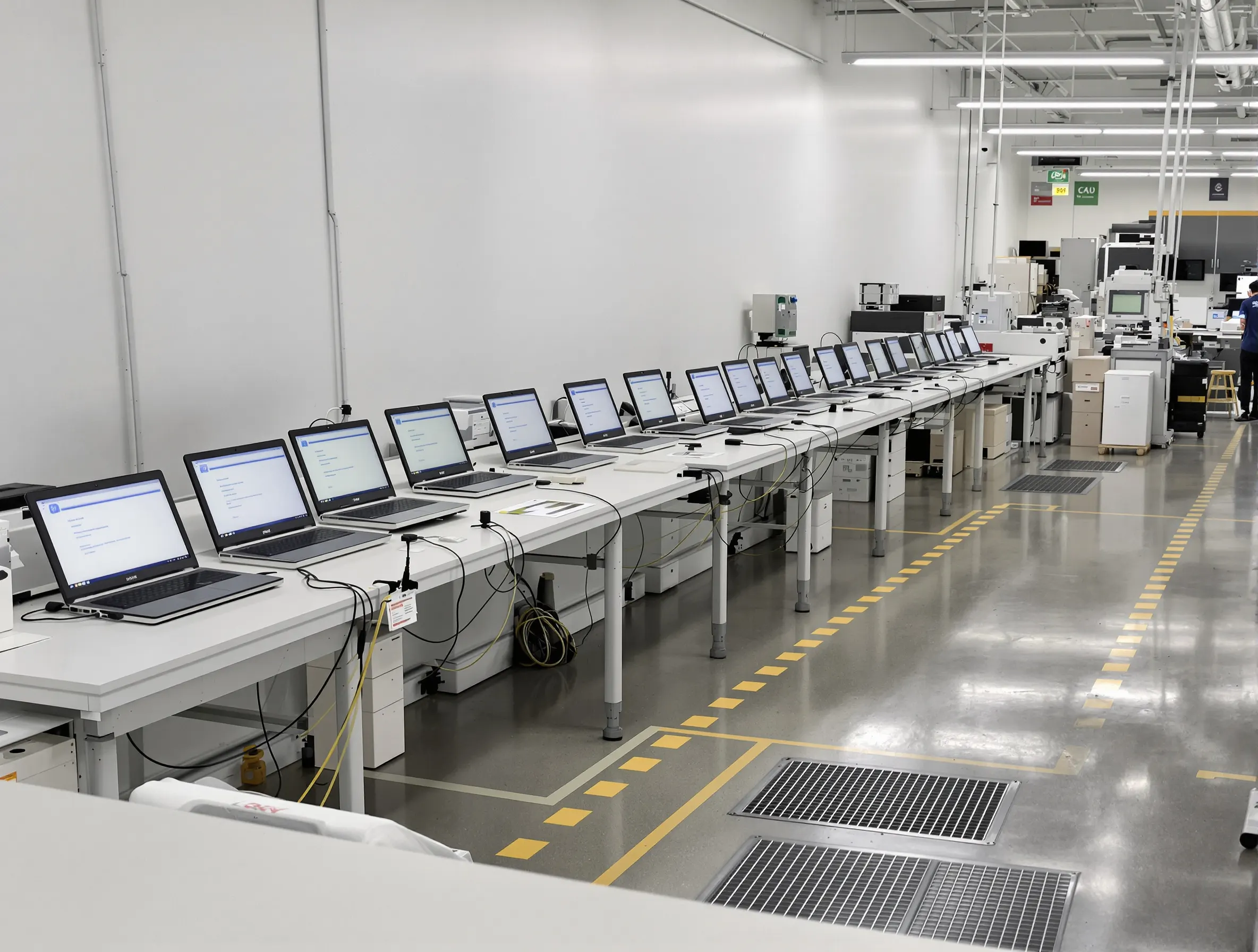
A device deployment partner in Canada for programs run from the US
You might be a US or global channel partner, MSP, or VAR that sold a Canadian rollout, or an enterprise IT team that owns one, with no Canadian facility to run it from. That is the gap this partnership fills. Hardware lands at our Markham depot from your distributor or from your customer’s stock, is staged to your runbook, kitted per user or site, and shipped on your rollout calendar to locations across Canada. Your team keeps the program design and the customer relationship, and follows every unit’s status in the portal or pulls it into your own systems through the API.
Running the work in-country is what makes it hold up. Devices are not sent across the border to be staged and then shipped back, so there is no cross-border loop for each device between the build and the user. Kitting documentation goes out in English and French where the site or user needs it. Devices, and the data loaded onto them, stay in Canada from receipt to delivery. When those same devices come back at refresh or offboarding, they return through the same depot under our device lifecycle services, so one Canadian partner covers the fleet end to end.
Asset tagging and imaging services, as a program or on their own
Asset tagging follows your scheme: the tag format, where it goes on the device, and the fields you track. Each tag is recorded against its serial, so your asset register is populated before the box is sealed. Imaging applies your build, including the OS, applications, profiles, and settings, with MDM enrollment completed before the unit leaves the depot. Every unit is then verified against the runbook, and its build is recorded per serial so you know exactly what went out.
Not every team needs the full deployment program. If you are running a refresh wave and already have kitting and shipping covered, you can buy asset tagging and imaging services on their own: send the hardware, and we tag, image, enroll, and verify it to your runbook, then return it to you or your sites ready to hand out. The same runbook carries forward if you later add kitting and scheduled rollout shipping.
Staging & deployment capabilities
Imaging & configuration
Your image, your build sheet: OS deployment, application loads, profiles, and settings applied identically to every unit in the program.
MDM enrollment
Devices enrolled into your management platform before they ship, so they arrive already visible, compliant, and controllable.
Asset tagging & recording
Physical tags applied and serials, tags, and configurations recorded per unit, so your asset register is populated before the box is sealed.
Kitting per user or site
Each shipment assembled to its destination: the right device, accessories, peripherals, and documentation for that user, that role, or that site.
Scheduled rollout shipping
Staged units ship on your rollout calendar (by wave, by region, by start date) instead of everything landing at once on a loading dock.
Documented runbook per program
Every program runs against a written runbook covering build steps, kitting lists, shipping rules, and exception handling, so unit five hundred is staged exactly like unit one.
How staging & deployment runs in Canada
- STEP 01
Define the runbook
We document your program before it starts: image and build spec, enrollment steps, tagging scheme, kitting lists, shipping rules, and how exceptions get handled.
- STEP 02
Receive & stage inventory
Hardware ships to the depot (from your distributor, your stock, or ours) and is received, logged, and held against the program.
- STEP 03
Build & enroll
Each unit is imaged, configured, enrolled in MDM, and asset tagged per the runbook, with the build recorded per serial.
- STEP 04
Kit & pack
Units are kitted per user or site with their accessories and documentation, packed, and labeled to their destination.
- STEP 05
Ship on schedule
Kits ship on the rollout calendar to sites or straight to end users, with shipment status visible in the portal throughout.
Staging questions MSPs and IT teams ask
What does IT staging actually include?
Everything between hardware arriving and a device being ready for its user: OS imaging, application and profile configuration, MDM enrollment, asset tagging and recording, kitting with the right accessories, and packing for the destination. The scope for your program is fixed in a documented runbook, so what "staged" means is defined once and executed the same way on every unit.
We’re an MSP with a client rollout in Canada. Can you be our execution arm?
Yes. This is one of the main ways the service is used. You keep the client relationship and the design; hardware ships to our Markham depot, we stage it to your runbook, and kits ship to your client’s sites or users under your program. You get Canadian execution without standing up a Canadian facility.
Can devices ship directly to individual end users?
Yes. Kitting is done per user, not just per site: each box holds that person’s device, accessories, and any start-up documentation, and ships to their address timed to their start date or refresh slot. That’s the model most onboarding programs run: the new hire opens a box and signs in.
How do you keep configurations consistent across a large rollout?
The runbook is the control: build steps, versions, and kitting lists are documented before the program starts, every unit is built against it, and the build is recorded per serial. If your image or app load changes mid-program, the runbook is revised and the change takes effect from a known point, with no guessing which units got which build.
Do you handle the other end, recovering devices at refresh or offboarding?
Yes. Deployment is the front half of a lifecycle program: recovered devices come back through the same depot for data sanitization following NIST SP 800-88 media-sanitization guidelines, then refurbishment for redeployment or disposition. One partner covers deploy, maintain, and retire, with every unit tracked in the same platform.
Can you act as our device deployment partner in Canada if our program runs from the US?
Yes. The program can be sold and managed from the US and delivered in Canada. You keep the customer relationship, the program design, and the runbook; hardware ships to our depot in Markham, Ontario from your distributor or the customer’s stock, and we stage, tag, kit, and ship it to users and sites across Canada on your rollout calendar. Every unit’s status is visible in the portal and available through the REST API, and kitting documentation can be provided in English and French.
Do you offer asset tagging and imaging services on their own?
Yes. Asset tagging and imaging can be bought without the full deployment program, which suits a refresh wave where your team already handles kitting and shipping. We tag to your scheme and record each tag against its serial, image to your build, complete MDM enrollment, and verify every unit against the runbook. Units return to you or your sites ready to hand out, and kitting or scheduled shipping can be added later under the same runbook.